- Narrator: Virtual Voice narration is AI-generated, which means the delivery is technically clear but lacks the human inflection that makes instructional audio engaging over long sessions.
- Subjects: Device setup and navigation, reading personalization, troubleshooting and library management
- Tone: Functional and thorough, best absorbed in short targeted sessions rather than cover to cover
- Bottom line: Ian Allan's guide is genuinely useful for new Paperwhite owners who prefer audio instruction, though the AI narration limits the experience compared to human-read technical guides.
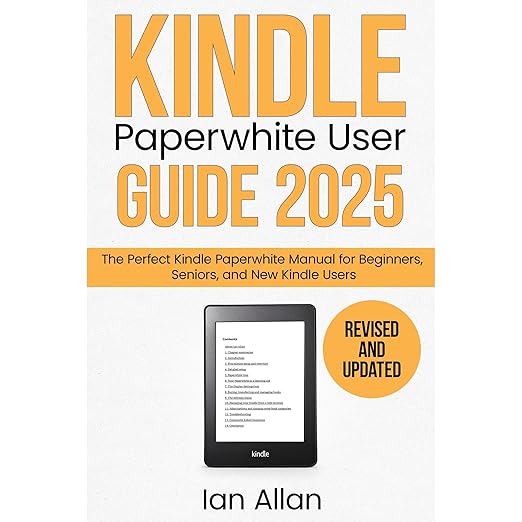
Setting up a new device sounds like it should be straightforward, but anyone who has handed a brand-new Kindle Paperwhite to a parent or grandparent and then spent the next hour answering questions knows that the gap between intuitive and obvious is wider than the device's designers anticipated. Ian Allan's The All-New Kindle Paperwhite User Guide 2025, narrated via Virtual Voice AI technology as part of the Amazon Kindle Series, attempts to close that gap in audio form, covering the 12th and 11th generation Paperwhite models across a 3-hour-and-18-minute runtime. This audiobook edition is the second installment in Allan's series of Kindle guides, and it arrives as an Amazon Best Seller in its category.
The scope is broad for a device guide. Allan begins with the physical basics, locating the power button and charging port, before moving through the full setup process, the home screen and library navigation, purchasing and reading books, and then into more advanced territory: the built-in dictionary and Wikipedia integration, X-Ray feature, vocabulary builder, note-taking and highlighting, and borrowing from US public libraries. The final chapters cover troubleshooting, with 15 in-depth tips and 27 FAQs organized by category. For listeners who want to know whether their specific problem is addressed, the structure is clear enough to allow targeted listening rather than requiring a full run-through.
Competent Narration That Doesn't Know When to Pause
The Virtual Voice narration is the most significant variable in evaluating this audiobook, and it deserves honest treatment. AI-generated voice technology has improved considerably, and the delivery here is technically competent: clear enunciation, consistent pace, no dramatic mispronunciations. What it lacks is the human judgment that guides a skilled narrator to emphasize the right word in a technical instruction, to pause where a listener needs a moment to absorb a step before moving forward. Over a 3-hour runtime, this limitation is noticeable but not disabling. The content is well-organized enough that the narration's neutrality does not obscure the instruction.
Reviewer Don May called this guide necessary for new users with no experience with Kindle, which captures both the book's strength and its intended audience. Reviewer Cal found it less useful, noting difficulty interpreting some of the guidance, which reflects a real limitation: instructional content that relies on labeled screenshots and companion visuals requires more from a listener who cannot see what is being described. Allan includes downloadable screen captures on a companion website, which partially compensates, but an audio-only listen requires more active visualization than this kind of material naturally invites.
Real-Time Tutorial Works Best With Device in Hand
The strongest case for the audiobook format is for listeners who learn best through spoken instruction and want to set up or configure their device with the guide playing as they work through the steps. Having the audio running while the Paperwhite is in hand allows the guide to function as a real-time tutorial rather than a reference text you have to stop and start. The 2025 update makes this particularly relevant for owners of the 12th generation model, whose interface changes from the 11th generation are addressed in the revised content.
The chapter structure is well-suited to selective listening. If you already have the basics down and only need the troubleshooting section, the audiobook's clear chapter organization allows you to locate that content without re-listening to the setup material. For new owners who want a comprehensive orientation, the full runtime covers the device more thoroughly than the official quick-start documentation.
Screen Captures Fill the Gaps AI Narration Leaves
The audiobook references a companion website with downloadable labeled screen captures throughout the text. Listeners who are using this as a primary guide will benefit significantly from downloading those before or during a listening session. The instructions are written to be followed alongside visual reference, and while Allan's verbal descriptions are clear, the visual materials were designed as part of the experience.
The AI narration performs adequately for straightforward instructional prose but shows its limitations in passages with lists, numbered steps, or technical terminology that requires the kind of emphasis a human narrator would apply naturally. Listeners who have strong preferences about narration quality should note this before purchase. The content itself is accurate and comprehensive; the narration is functional rather than engaging.
New Owners Who Prefer Spoken Instructions
New Paperwhite owners who want a thorough spoken orientation to their device will find genuine value here, particularly users who are less comfortable with reading technical documentation. The audiobook is also useful for existing Paperwhite users upgrading from an 11th generation model who want to understand what has changed. Those who already use their device confidently will not find much new here.
Older or less tech-confident users who prefer to have instructions spoken rather than read from a manual will find Allan's plain-English approach more accessible than the official Kindle documentation, which assumes a level of device familiarity that new users may not have. The 15-chapter structure covering everything from basic power-on through library management, subscriptions, and troubleshooting is thorough without being overwhelming, and the FAQ chapter with 27 answered questions means many common frustrations have specific solutions within the audiobook itself. Listeners who require human narration to stay engaged with technical content for extended periods should note the Virtual Voice limitation before committing. The guide is best used in targeted sessions rather than as a continuous listen, and it is most effective when the Paperwhite device is in hand during the relevant chapters.
Good to Know
Does this audiobook cover the 12th generation Kindle Paperwhite, or only older models?
The guide is specifically written for both the 12th and 11th generation Kindle Paperwhite. The 2025 updated edition includes interface and feature changes specific to the newest generation, making it the most current option available for owners of the latest model.
How does the Virtual Voice AI narration affect the listening experience for this type of audiobook?
Virtual Voice delivers clear, technically competent narration without the inflection and emphasis a human narrator brings to instructional content. For step-by-step guidance where the listener needs to follow along on the device, the neutrality is workable. For sustained listening without a device in hand, the narration can feel flat over the 3-hour runtime.
Is the companion visual material accessible when listening to this audiobook?
A PDF companion and downloadable screen captures from a companion website are included with the guide. These visuals are referenced throughout the audio and are designed to be used alongside the listening. Downloading them before your first session will significantly improve how useful the instructions are in practice.
Can this audiobook help with specific troubleshooting problems, or is it only useful for initial setup?
The guide includes 15 in-depth troubleshooting tips and 27 FAQs organized by category, covering problems with setup, wi-fi, screen taps, content, charging, and hardware. The chapter structure makes it practical to use as a reference guide for specific issues rather than requiring a full re-listen.