At a Glance
- Performance: Virtual Voice handles the technical terminology with consistent pronunciation but cannot modulate pace or emphasis to help listeners distinguish foundational concepts from supplementary detail, a real limitation for pedagogical content.
- What it covers: Data cleaning and transformation, dashboard creation, cross-tool analytics workflows
- Feel: Tutorial-paced but unevenly calibrated
- Our call: Only consider this audiobook if you are completely new to all three tools and need a very basic orientation before investing in more structured training.
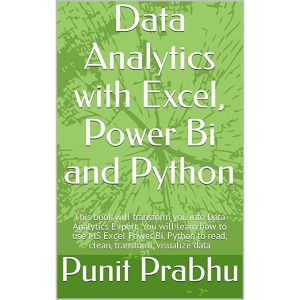
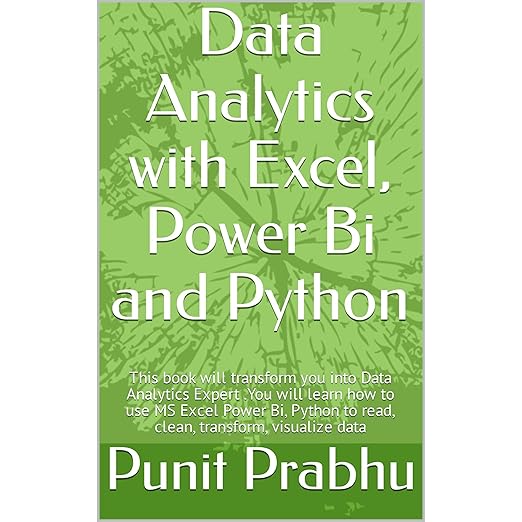
Punit Prabhu's Data Analytics with Excel, Power Bi and Python promises to transform listeners into data analytics experts across three separate tools in under five hours. That is an ambitious claim for any audiobook, and the Virtual Voice AI narration that carries this title makes the evaluation somewhat distinct from a typical recorded performance assessment. The runtime of four hours and thirty-four minutes covers a broad scope: Microsoft Excel in depth, Power BI dashboard creation, Python-based data analysis, and career guidance for roles ranging from healthcare data analyst to quantitative analyst. The question is whether the execution matches the ambition.
The short answer, based on what listeners have reported, is that it does not, particularly for anyone who comes to this audiobook with any prior exposure to data tools. One reviewer called it targeted at elementary school students rather than IT professionals, which is a pointed assessment. Another noted structural problems in the original book that become more pronounced in audio form.
AI Narration Can't Fix Pedagogical Gaps
The Virtual Voice performance here is workable for technical vocabulary but cannot solve the underlying content problem. AI narration in this format tends to read terms like pivot tables, DAX measures, and Pandas DataFrames with consistent pronunciation, which is genuinely useful in a reference context. What it cannot do is adjust tone, slow down for complex passages, or signal when a concept is foundational versus supplementary. A skilled human narrator can use pacing and emphasis to guide a listener through dense material. Virtual Voice narration delivers everything at the same register, which flattens the pedagogical structure the book needs to work as an audio learning tool.
The coverage spans reading and cleaning raw data, transforming it through Excel formulas and Power BI's modeling layer, building interactive dashboards, and introducing Python for analysis. The breadth suggests a survey course rather than a deep dive into any one tool. For someone with zero experience across all three platforms, that survey might have value as a first orientation. For anyone with even modest Excel experience, the entry level will feel too low to sustain over four hours of listening.
One Complete Data Workflow Across Three Tools
There is a narrow use case where this audiobook holds value. If you are a student or aspiring professional who has never opened Power BI, never written a formula in Excel beyond basic arithmetic, and wants a light audio primer before diving into hands-on video tutorials, the conceptual overview in the early sections may orient you usefully. Prabhu connects the three tools through the idea of a complete data workflow, which is a valid framing: Excel for initial cleaning, Power BI for visualization and reporting, Python for more complex transformation and modeling. That through-line is genuinely worth understanding before you start self-studying any of the three individually.
The accompanying PDF that Audible provides with purchase is worth downloading if you proceed with this title. Visual tools like Power BI and Excel are inherently hard to learn from audio alone, and the reference materials may help anchor concepts that the narration necessarily delivers in abstract terms. Some content simply does not translate well to the audio format without supplementary visual support, and this is one of those cases.
Missing Page References Predate This Audio Edition
Reviews suggest real problems with the source material that predate the audio adaptation. Missing page references after the table of contents and context that appears truncated between sections indicate production issues in the original text that the audio conversion cannot remediate. Listeners who notice logical gaps in the narration should understand that these may reflect problems in the source document rather than in the narration itself. That is a meaningful caveat for a learning resource that needs to build concepts sequentially.
The career guidance sections that cap the book, covering job titles like IT system analyst, operations analyst, and big data specialist, read as generic appendices in audio form. The list of prospective employers ranging from banks to pharmaceutical companies to social media companies covers such broad ground that it adds little specific guidance. These sections feel designed to justify the book's scope claims rather than to genuinely equip a listener for a job search.
Functions as a Gateway, Never a Credential
This audiobook is best suited for absolute beginners who need a light conceptual introduction before committing to structured courses on any of the three platforms. If you already have working knowledge of Excel, you will find the coverage insufficient. If you are a database professional or working data analyst, the content level will not match your needs. Listeners who want an honest pathway to data analytics competency would be better served by platform-specific courses that provide the visual and interactive components audio cannot replicate. Approach this one with calibrated expectations and use the accompanying PDF as a required supplement rather than an optional one.
The book's career guidance sections deserve a specific note. The synopsis describes prospective employers ranging from banks and insurance companies through telecommunications firms, pharmaceutical manufacturers, and social media specialists. That breadth is deliberately aspirational, and in audio form it lands more as an orientation toward the field than as actionable job-search guidance. Listeners who complete this audiobook and want to move toward any of those roles will need to follow up with platform-specific skills and more rigorous training. The audiobook functions as a gateway, not as a credential.
Common Questions
Is this audiobook suitable for someone who already knows Excel but wants to learn Power BI?
The content level is quite introductory across all three tools. Reviewers with existing data skills found it too elementary. If you have Excel experience, you would likely want a Power BI-specific resource with more depth rather than this survey-level overview.
How does Virtual Voice narration handle the technical terms in this audiobook?
Virtual Voice handles technical vocabulary like DAX, pivot tables, and Python library names with consistent pronunciation. However, it cannot modulate pace or emphasis to help listeners distinguish foundational concepts from supplementary detail, which matters significantly for technical learning content.
Does this audiobook come with supplementary visual materials?
Yes. The audiobook includes an accompanying PDF available in your Audible library. Given that Power BI and Excel are inherently visual tools, downloading and referencing the PDF alongside listening is strongly advisable rather than optional.
Are the three tools covered in equal depth in this audiobook?
Based on the synopsis and listener feedback, coverage is uneven and surface-level across all three. Excel receives the most stated attention, while Python in particular gets a lighter treatment appropriate for an introduction rather than a working knowledge foundation.