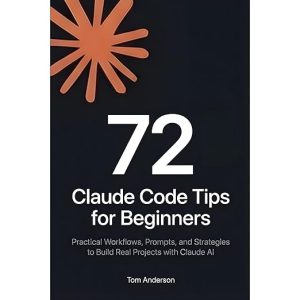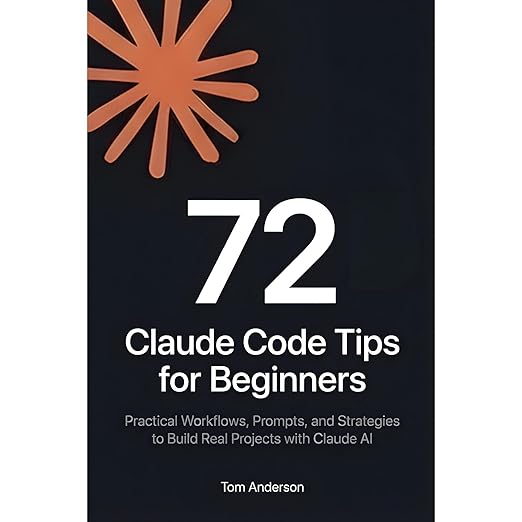
Coding tutorials have a reliability problem: they are written for one moment in time, and AI tools evolve fast enough to make advice obsolete within months. This audiobook by Tom Anderson confronts that problem head-on, and for a listener who spent several late evenings trying to understand how to get useful output from AI coding assistants, the opening chapters feel immediately relevant. At nearly seven hours, 72 Claude Code Tips for Beginners is longer than its title suggests it needs to be, but Anderson earns the runtime through the specificity of what he covers. This is not a high-level overview of AI-assisted development. It is a workflow manual.
Anderson's background as a former Director of Engineering shapes the material significantly. He is not a developer who discovered AI tools as a beginner; he is someone who rebuilt an established professional practice around them and is now documenting what actually changed. That perspective gives the book a credibility that pure beginner guides often lack. He knows what production-ready code looks like, and he is specific about the gap between what a naive prompt produces and what a well-structured, context-rich prompt delivers.
Virtual Voice Narrates a Guide About AI
The audiobook is narrated by Virtual Voice AI, which creates a peculiar recursiveness: a guide to working with AI coding assistants, narrated by an AI voice. For technical content this dense, the AI narration is a real liability. The book contains specific syntax, prompt structures, and multi-step workflow descriptions that benefit enormously from human pacing, emphasis, and the ability to signal when one idea has ended and another has begun. Virtual Voice delivers the text uniformly, which means listeners need to work significantly harder to catch transitions and identify which concepts are load-bearing versus supplementary.
The content itself is organized across 18 chapters moving from foundational prompt engineering through advanced workflow automation. The three-part framework Anderson calls Context/Task/Constraints is introduced early and applied throughout. It is a useful organizing principle, not because it is new, but because Anderson applies it consistently to specific development scenarios. The examples are drawn from real development contexts: React components, API endpoints, authentication patterns, database schemas. This is the level of concreteness the audiobook format demands, and Anderson provides it.
Debugging Chapters Frame AI as a Collaborator
The debugging chapters are the strongest in the book. Anderson's advice on diagnosing CORS errors, dependency conflicts, and asynchronous issues using AI assistance is practical and specific in a way that generic documentation rarely achieves. He frames debugging as a collaboration, where the developer articulates what is failing and why, and the AI assists with hypothesis generation and solution testing. That framing is more honest about what AI tools actually do than the 'generate everything automatically' narrative that tends to dominate the marketing around these products.
The sections on conversation management across long AI sessions are also genuinely useful. Context degradation is a real problem for developers using AI assistants over extended sessions, and Anderson addresses it with specific strategies: how to summarize and restate context, when to start a new conversation, and how to structure prompts so that later responses remain coherent with earlier ones. This is knowledge that comes from experience, and it translates well to audio because the principles are stable even as the specific tools evolve.
Basic Programming Knowledge Underpins This Guide
The title says 'beginners,' but the content is more accurately aimed at developers who already know basic programming and want to accelerate their workflow. True beginners who cannot yet distinguish between a component and an API endpoint will find many chapters disorienting without supplementary reading. The book is better described as a guide for intermediate developers new to AI-assisted workflows than for first-time coders.
The Virtual Voice narration also makes code-heavy sections difficult to absorb aurally. Specific prompt structures and XML-style templates that appear in the text are read as continuous prose, which removes the visual scaffolding that makes code intelligible on a page. Listeners will likely want a companion copy of the text for reference during the more technical chapters. The audio format is genuinely not ideal for this kind of content.
The chapters on test suite generation deserve particular mention for listeners who have found AI-generated code difficult to trust in production. Anderson's approach treats testing not as an afterthought but as a parallel workflow: you prompt for the feature, then immediately prompt for the tests that would verify it, using the same context thread to ensure the tests actually match the implementation. That practice alone addresses one of the most common failure modes in AI-assisted development, where code looks correct in isolation but behaves unexpectedly under real conditions. It is the kind of workflow guidance that comes from professional experience rather than from reading the documentation.
Director-Level Experience Backs This Workflow Guide
Intermediate developers who want a structured, experience-backed introduction to AI-assisted coding workflows will find real value here. Anderson's background as a Director of Engineering means the advice is calibrated to what actually matters in professional contexts, not just what seems impressive in demos. The prompt engineering and debugging sections alone are worth the runtime for developers actively using AI assistants.
Absolute beginners and listeners who process technical content better through reading than listening should consider the text version instead. The audiobook works best as a companion to hands-on practice, not as standalone instruction. Start the audiobook, pause, try the techniques, then return. That iterative approach will extract far more from the material than passive listening ever could.
- Narration: Virtual Voice AI narration; a real liability for technical content this dense, where human pacing and emphasis would help listeners distinguish load-bearing concepts from supplementary detail.
- Themes: AI-assisted development workflows, prompt engineering, debugging with AI collaboration
- Mood: Dense and practical, structured for active learners rather than passive listeners
- Verdict: A workflow manual for intermediate developers that contains genuinely useful AI-assisted coding advice, though the audio format is not ideal for code-heavy technical instruction.
Frequently Asked Questions
How does the Virtual Voice narration handle the technical and code-heavy sections of this audiobook?
Poorly, by the format's nature. Code syntax, XML-style prompt templates, and multi-step workflows rely on visual scaffolding that audio cannot replicate. Consider keeping a text version nearby for the most technical chapters.
Does this audiobook stay current with how AI coding tools actually work in 2025 and 2026?
The core frameworks, particularly around prompt engineering, context management, and debugging collaboration, are stable principles that will outlast specific tool versions. Treat it as a methodology guide rather than a tool-specific tutorial.