Quick Take
- Narration: Jon Mills’s voice replica carries the instructional content clearly but introduces the same synthetic-warmth limitation found across voice replica narration, particularly in the motivational framing passages.
- Themes: Terminal demystification, AI-assisted development environment setup, Git for non-coders
- Mood: Encouraging and patient, explicitly designed for the terminal-phobic
- Verdict: A genuinely useful bridge resource for non-technical users who want to work with AI coding assistants but keep freezing at the command line, though hands-on practice alongside the audio is non-negotiable.
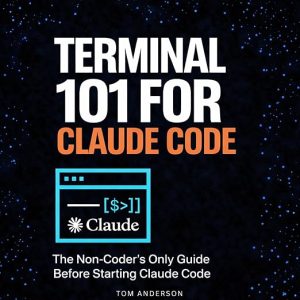
The book opens with a precise psychological diagnosis: the moment someone says open your terminal and run npm install, you freeze. That framing is exactly right. I have watched otherwise confident, capable people abandon projects at that exact juncture, not because they lacked the intelligence to continue but because the command line felt hostile in a way that spreadsheets and browsers do not. Terminal 101 for Claude Code is written for those people, and Tom Anderson has been careful to make the scope of his promise specific: five hours, essential commands, real Claude Code integration, Git basics. Not everything, but everything you need to not freeze.
The book carries no ratings and no reviews, which means there is no listener experience to triangulate against. What there is: a detailed synopsis that lists specific learning outcomes across three clearly defined areas of competence, and a Jon Mills voice replica narration that handles the instructional material with adequate clarity.
The Specific Gap This Book Addresses
There is a growing category of learner who has access to AI coding assistants and has ideas for applications they want to build, but whose path to those applications is blocked at the environmental setup stage. Claude Code, GitHub Copilot, and similar tools lower the barrier to code generation substantially, but they operate inside development environments that still require terminal comfort to initialize, configure, and run. Anderson is writing directly to that gap.
The structure follows a logical progression: navigation and file management first, then development environment setup, then Claude Code integration specifically, then package management with npm, pip, and related tools, then Git and GitHub basics. That ordering is pedagogically sound. You cannot meaningfully work with environment variables and dependencies until you can navigate your own file system without anxiety, and Anderson respects that sequencing.
Voice Replica Narration and Instructional Audio
Jon Mills’s voice replica narrates with the precision and pace you would expect from a professional narrator, because it is trained on professional narration. For list-based, step-by-step content, voice replica performs better than Virtual Voice synthetic delivery. The commands, paths, and technical terms are handled clearly without the pronunciation artifacts that plague lower-quality synthesis.
The limitation appears in the motivational framing sections. Anderson writes encouragingly about overcoming terminal fear, and those passages are designed to feel like a patient mentor talking you through anxiety. Voice replica flattens the warmth those sections require. The information transfers, but the emotional scaffolding that makes the encouragement feel genuine rather than procedural does not survive the synthesis pipeline as well as pure instruction does.
The Hands-On Requirement
This is a book that requires parallel practice to be useful. At five hours and thirty-seven minutes, it covers the conceptual and procedural content, but terminal proficiency is a kinesthetic skill. You cannot develop comfort with the command line by listening about it any more than you can develop comfort with parallel parking by reading about it. Anderson implies as much in his framing: he is teaching you to understand what’s actually happening when you type commands, which suggests an expectation that you will be typing commands while or shortly after listening.
The most effective way to use this audiobook is probably not as a standalone resource but as a structured companion to actual terminal sessions. Listen to a section, then open a terminal and practice the commands described, then continue. The five-hour runtime suggests Anderson has been efficient about what he covers, which means what he covers is worth practicing before moving on.
Who Should Listen and Who Should Skip
Listen if you are a non-coder who wants to build real applications using AI coding assistants and keeps getting stopped at environment setup and terminal commands. This is written precisely for you. Listen if you are new to Git and GitHub and need a non-intimidating introduction in the context of AI-assisted development. Skip if you have any meaningful terminal experience. The content is designed for genuine beginners, and intermediate or experienced users will find the pacing too slow and the scope too basic.
Frequently Asked Questions
Does Terminal 101 for Claude Code teach general terminal skills, or is it specifically tied to Anthropic’s Claude Code product?
Both, but it starts with general terminal skills that apply across any development environment and then shows how those skills connect specifically to working with Claude Code. The foundational content is transferable.
Is the Jon Mills voice replica narration noticeably different from professional human narration?
For technical instructional content, it is close enough to work well. The limitation appears in the motivational framing sections, where the warmth of encouragement doesn’t survive voice replica synthesis as effectively as it would with human delivery.
Can you learn terminal skills effectively by listening to this audiobook without a computer open?
Unlikely. Terminal proficiency is a hands-on skill that requires practice. Anderson’s book provides the conceptual framework and procedural guidance, but actual comfort with commands comes from running them. Plan to listen with a terminal open nearby.
Does the book cover environment variables, package managers, and deployment, or only basic navigation?
It covers all three. The synopsis lists environment variables, npm and pip package management, and Git and GitHub connection explicitly. Basic navigation is the starting point, not the whole content.