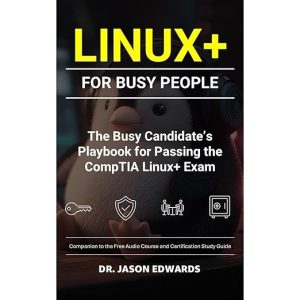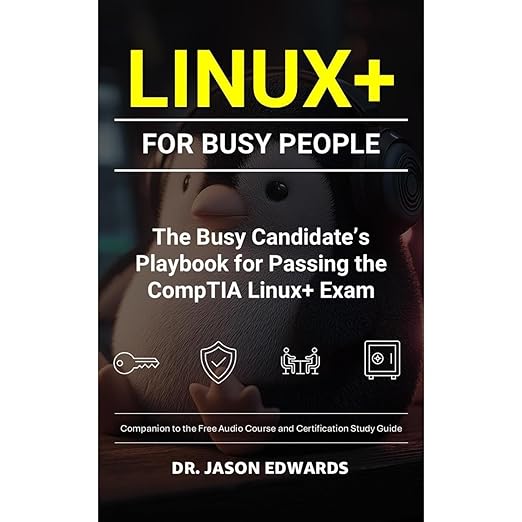
The Linux+ For Busy People audiobook does not oversell itself. At twenty-seven hours and thirty-seven minutes, it is a substantial commitment, and Jason Edwards states plainly from the outset that audio is not a replacement for hands-on practice. What it offers instead is a structured, clearly reasoned companion for people preparing for the CompTIA Linux+ certification who need to keep concepts active when they cannot be at a keyboard. The commute, the gym, the routine tasks that do not require full attention. That framing is honest, and for the right listener, it makes this a genuinely useful tool in a certification study toolkit.
Narration Nails the Terms but Misses the Emphasis
Edwards writes for a specific audience: people already working in IT environments who are building toward systems administration from a help desk or junior admin background, cloud and DevOps learners who need stronger Linux fundamentals, and security professionals who want to understand Linux behavior from the inside rather than treating it as a black box. That audience definition is useful because it shapes the depth of the explanations. Edwards does not spend pages defining what a terminal is. He explains why you would choose one command over another, what the output means, and how to verify that your change did what you intended before moving on.
The Virtual Voice narration handles this material competently. Technical terminology, including permissions syntax, service management commands, and package manager patterns, gets correct pronunciation throughout, which matters when you are trying to build accurate recall of commands you have not yet typed. The absence of a human narrator's interpretive emphasis is a real limitation: a skilled human voice would signal the moments where a concept is particularly exam-critical or conceptually tricky, or where two commands that sound similar serve very different purposes. Virtual Voice treats every sentence with equal weight, which places more burden on the listener to regulate their own attention across the twenty-seven hours.
Short Blocks Build Toward a Thousand Flashcards
The teaching structure here is notably thoughtful for a certification study guide. Edwards organizes each chapter into focused sections with content-specific headings, explicitly designed so you can listen in short blocks and still feel genuine forward progress rather than the disorientation of picking up mid-concept. The framing of exam readiness as calm, disciplined reasoning rather than rote memorization is a genuine pedagogical distinction. The book trains you to work through Linux tasks systematically rather than trying to memorize a specific set of answers.
The coverage of the core exam domains is comprehensive: file and text management at the command line, user and group administration, permissions and authentication, process and service management, storage and filesystem basics, networking fundamentals, and security practices. But the emphasis throughout stays on the how and why rather than the what. Why you would use this flag rather than that one. Why the output looks the way it does. Why verifying a change before moving on matters in a production environment. That orientation makes the content useful beyond the exam itself, which is not always true of certification study materials that optimize purely for test-day performance.
The purchase also includes a bonus audio course designed to reinforce the same reasoning patterns across complementary content, and an optional Kindle flashcard supplement with a thousand prompts for rapid recall drilling. Used together, the three components address the major modes of certification prep: conceptual understanding, reasoning practice, and rote recall under time pressure.
Twenty-Seven Hours Survive Being Broken Into Pieces
No listener reviews were available at time of writing, which makes the rating assessment impossible. The book's own description notes it will not promise shortcuts or pretend every Linux environment is identical. That intellectual honesty is commendable but also signals that this is a demanding resource rather than a pass-guarantee package.
At twenty-seven hours, the audio commitment is substantial, and listeners who dip in and out without a structured study plan may find the content fragmenting rather than accumulating into the kind of coherent mental model the exam requires. The emphasis on busy schedules in the title also warrants scrutiny. Genuine CompTIA Linux+ preparation requires hands-on lab time that audio cannot substitute. The book is explicit about this, but listeners who are genuinely very busy should be realistic about whether audio-only study is sufficient before attempting the certification.
One practical note for listeners working through the Bare Metal Cyber Study Guides series: Linux+ For Busy People does not carry any visible series number on its own listing page, which suggests it can function as an entry point to Edwards's study guide approach regardless of whether you have engaged with other titles in the series. The Bare Metal branding signals a consistent pedagogical approach across titles, favoring practical competence over memorization and treating calm systematic reasoning as the skill being built rather than the specific commands being the final destination.
The twenty-seven-hour runtime is worth planning around rather than treating as one continuous sitting. Edwards structures the material so that stepping away between sections doesn't cost much continuity, since each concept builds on demonstrated behavior at the terminal instead of a long-running narrative thread a listener could lose track of. That makes this a reasonable choice for study sessions broken across a commute or a lunch break, provided the listener is willing to rewind occasionally to catch a step that moved past too quickly in audio-only form, something dense technical narration makes easy to miss if attention drifts even briefly. Pairing the audio with the bonus Kindle flashcard supplement mentioned elsewhere in the listing is probably the more realistic way to retain those specifics long term, instead of expecting one pass of listening to lock them in.
Junior Admins Get the Right Depth Here
This audiobook is built for working IT professionals who need to use study time efficiently during transit or other passive-attention windows. Junior admins, help desk professionals moving toward systems work, and DevOps learners who need to solidify Linux fundamentals will find the content level and framing appropriate. Complete beginners to Linux will likely need additional foundational resources before this material clicks. Listeners preparing for other CompTIA certifications will find the exam-reasoning approach transferable even if the specific Linux content does not map to their target exam.
Before You Press Play
- Narrator: Virtual Voice AI narration is serviceable for technical study content, though the lack of human emphasis on exam-critical distinctions is a real limitation for certification prep.
- Subjects: Linux administration fundamentals, CompTIA exam preparation, practical command-line reasoning
- Tone: Methodical and deliberate, organized for incremental study rather than cover-to-cover listening
- Bottom line: A well-designed study companion for CompTIA Linux+ candidates who need a structured audio option to reinforce concepts between active lab sessions.
Frequently Asked Questions
Is the Linux+ For Busy People audiobook enough on its own to pass the CompTIA Linux+ exam?
No, and the book says so explicitly. Audio is described as a reinforcement tool for keeping concepts active between study sessions, not a replacement for hands-on lab practice. The exam requires demonstrated command-line competence that audio alone cannot develop, no matter how thoroughly you listen.
How does this audiobook handle the practical command examples that are central to Linux study?
Edwards keeps command examples short and tied to real administrative tasks, which helps in audio form. Commands that you need to type and run to understand fully inevitably lose something when only heard. The book recommends an active study loop: listen, summarize in your own words, then practice the commands at a keyboard.
What does the bonus audio course included with this audiobook add beyond the main content?
The bonus course is designed to reinforce the same reasoning patterns as the main book: framing tasks, selecting the right approach, confirming outcomes. It supplements rather than duplicates the primary content and is intended for listening during periods when you cannot reference the main text.
Does this audiobook cover the full range of CompTIA Linux+ exam objectives?
Yes, according to the book's own description. It covers file management, user and group administration, permissions, process and service management, storage, networking fundamentals, security practices, and troubleshooting habits, which is the full scope of what the Linux+ exam evaluates.