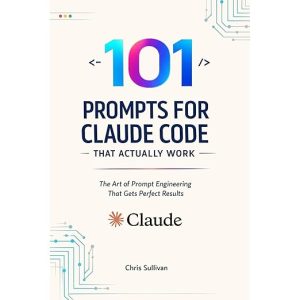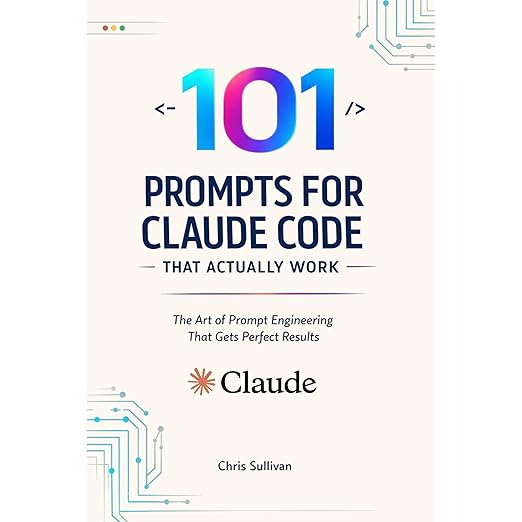
Prompt libraries are reference objects, built to be scanned, copied, and pasted, which makes an audiobook a strange container for one. This edition runs four hours and thirty-four minutes, arrived in February 2026 under an independent imprint, and advertises 101 copy-paste-ready prompts organized by task. That tension between what the book is and how it has been packaged is the first thing worth naming out loud. It does not sink the project. It does change who should press play, and what they should expect to be doing with their hands while the recording runs.
Sullivan frames the complaint in the description's opening line: a forty-five-minute back-and-forth with a coding assistant over work that should have taken ten, followed by hours spent debugging code that looked correct and quietly broke something else. The book calls this the Loot Box Problem, and the name is the most honest thing on the page, because it concedes that the output is probabilistic and then treats the user's own request as the variable worth controlling. Plenty of books in this corner open by praising the model. Opening by blaming the prompt is a better move, and a more useful one.
Nothing in the method is exotic, which I mean as praise. Every request gets a four-part anatomy, Context, Task, Constraints, and Verification, and every session gets a workflow labeled Explore-Plan-Code-Commit that forces investigation and a plan before a single line is written. The credentials behind it are practical rather than academic: a mechanical engineer turned AI developer, with production systems built for logistics, healthcare, and fintech companies. The description calls prompt engineering for developers a hard skill with measurable results, and the four-part anatomy is the piece that most sounds like one.
CLAUDE.md Survives Every Version Bump
Four hours and thirty-four minutes is roughly a working afternoon, and the ordering is what justifies the sitting. Architectural planning comes first, framed as debt prevention rather than diagram drawing. Feature work follows, with the emphasis on respecting the patterns a codebase already uses instead of importing a house style over the top of it. Investigation sits between symptom and fix, aimed at root causes. Held in that order, the material behaves like a course rather than a catalog, and a course is a far better fit for a format you consume in a straight line.
Power-user territory is where the book stops being a beginner's manual. Coordinating multi-file changes without introducing bugs, chaining prompts into repeatable workflows, and building a personal prompt library that compounds in value over time are all presented as skills rather than tricks. The last of those is the real thesis, and it is a generous one: the artifact you are meant to end up with is your own library, not this one. An author who tells you the goal is to outgrow the purchase has earned a measure of trust that the marketing copy elsewhere spends freely.
CLAUDE.md, the foundation system the whole book orbits, is the single idea I would keep if everything else evaporated. It is a briefing file that lives inside the project and carries the tech stack, the coding standards, and the architectural decisions, so the same explanations stop being retyped at the start of every session. Anyone who has described their own repository from scratch three times in a week will recognize the ache immediately. It is also the most durable material here, because a habit survives a version bump in a way that a specific phrasing does not.
This Recording Carries the Entire Load Alone
Copy-paste-ready is the description's own phrase, and it is the sticking point. A prompt you cannot select cannot be pasted, and the longest templates are precisely the ones you would most want sitting on a clipboard. No companion PDF and no text appendix appear anywhere in the listing, so the recording carries the entire load by itself. Taken as a lecture on how prompts get built, the runtime pays for itself. Taken as the library it advertises, it becomes a transcription exercise with a pause button, and a frustrating one at that.
This record arrives with its rating field blank and its response column unopened, a state that for an independent title dated February 2026 is expected rather than suspicious, and one that leaves the sales copy entirely unchallenged. Read that copy closely, though. It states flatly that Claude Code executes flawlessly on the first attempt, a promise no prompt book can underwrite. Two of its sentences also arrive unedited, one about self-taught developers who are leveling up their skills, another offering a kit designed for non-technical founders build apps with AI. Small slips, in a book about precision in language.
Pass If Your Work Sits Far From the Web
Developers who already spend the working day beside an AI coding assistant are the natural audience, and above all the ones who have felt the Loot Box Problem and never sat down to fix their own half of the exchange. Technical founders and startup CTOs operating under resource constraints get named directly on the page, as do bootcamp graduates and self-taught developers still building habits. The less ceremony your current process carries, the more this will hand you, because most of what it teaches is ceremony with a reason attached.
Pass on it if you want a reference you can search at the moment of need, since audio is the wrong medium for lookup and no text edition is offered alongside. Pass as well if your work sits far from web and application development, because the worked material clusters around authentication, search, file uploads, documentation, and database migrations. For everyone else, the shape of the purchase is worth stating plainly: you are buying a way of asking rather than a set of answers, and the way of asking will outlast every model version named here.
A Few Questions About 101 Prompts for Claude Code That Actually Work
Who is credited as the reader on this audiobook?
The reader field carries Virtual Voice rather than a person's name, which means the recording is machine-generated instead of performed. That matters more than usual for this material, because command sequences, file names, and flags are exactly the strings where synthetic delivery tends to flatten out. Sample before you commit four and a half hours to it.
Does the audiobook still help if you use Cursor instead of Claude Code?
Partly. The description names Cursor and other AI coding assistants among the intended tools, and the four-part request anatomy travels to any of them without modification. The CLAUDE.md briefing system does not, since it is built around one specific tool's project file. Roughly speaking, the thinking transfers and the plumbing does not.
What is Chapter 12 and who is it aimed at?
Chapter 12 is a self-contained prompt kit for people who do not write code at all, specifically founders building a first SaaS product and creators automating a business. The stated goal is translating business logic into working software without writing a line yourself, which is the boldest claim in the whole description and the easiest one to test.
Does the book cover testing and deployment, or does it stop at writing new code?
It goes considerably further. The listed coverage includes generating unit, integration, and end-to-end test suites meant to catch regressions, pre-deployment checklists, CI/CD pipeline setup, rollback procedures, and systematic refactoring that avoids introducing new bugs. That full-lifecycle span is the strongest argument for buying it as a course rather than a lookup table.