Quick Take
- Narration: Virtual Voice narration undermines any instructional value for spreadsheet content, where demonstration-based guidance requires human pacing, emphasis, and the ability to walk a learner through interface decisions.
- Themes: Google Sheets basics, spreadsheet management, data entry and formulas
- Mood: Introductory and reassuring in intent, though the execution is undercut by narration and editorial quality issues
- Verdict: The combination of Virtual Voice narration, documented errors including a reference to the defunct Google+, and mixed reviews makes this a difficult recommendation when free official Google documentation is readily available.
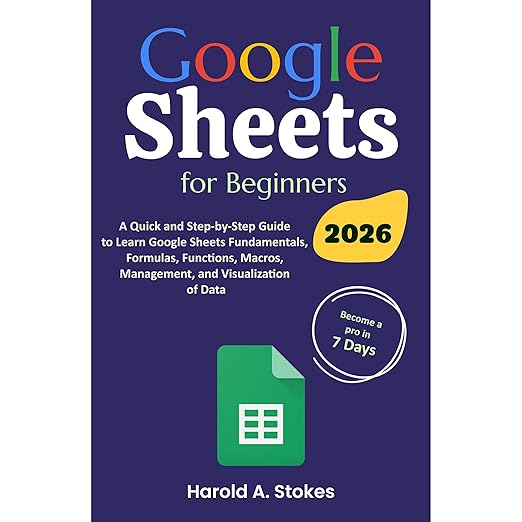
Google Sheets for Beginners occupies one of the more competitive categories in beginner technology publishing: there are dozens of introductory texts covering spreadsheet basics, and the differentiating factor usually comes down to whether the instruction is clear enough and current enough to actually get a novice from zero to functional. The evidence for this particular audiobook is mixed in both dimensions.
The synopsis arrives with the full commercial apparatus of an independently published beginner guide: star emoji, checkmarks, bow emojis, exclamation points, “scroll up and click Buy now.” None of that signals editorial quality in either direction, but it does signal a production context where audiobook-specific considerations may not have been primary. At two hours and fourteen minutes narrated by Virtual Voice, this sits in the most challenging segment of the technical instruction market.
The Dated Reference That Changes Everything
One of the three substantive reviews flags a specific error that I need to address directly: a 2025 edition of a Google Sheets beginner guide that references Google+ on page five. Google+ was shut down in April 2019. An introductory technology guide whose current edition contains a reference to a service that has been defunct for six years raises genuine questions about the thoroughness of its revision process. If the primary differentiator of a beginner book is that it covers current tools and workflows, a 2025 edition with 2019 content is a meaningful quality failure.
Virtual Voice narration reads this content without the ability to flag the anomaly or adjust emphasis in ways that might help a listener identify when they are receiving outdated information. This compounds the problem. A human narrator working from a problematic script might at least bring the kind of inflection that signals something is off; Virtual Voice does not. The result is a narration that treats a defunct social network’s name with the same confident authority as everything else in the text.
The Listener Who Benefits Most and Least
The two more positive reviews tell a different story. A reviewer who has used computers for years but never effectively learned spreadsheets describes it as genuinely useful for learning the basics of accounting and stock control for a small business context. That listener’s success suggests that the core content, outside of the dated references and editorial inconsistencies, covers fundamental Sheets navigation and formula usage in a way that functions for true beginners.
The distinction that matters is between a beginner who needs conceptual orientation and a beginner who needs step-by-step interface instruction. Google Sheets for Beginners in audio format can provide the former and struggles significantly with the latter. Spreadsheet instruction is fundamentally visual and interactive, and even excellent narration struggles to convey the relationship between menu items, cell references, and formula outputs without a screen alongside. Virtual Voice, which cannot modulate pacing based on complexity, makes that limitation acute.
The Free Alternative Problem
Google provides free, continuously updated instructional content for Google Sheets through Google Workspace Learning Center, YouTube’s official Sheets channel, and the Sheets help documentation. These resources are maintained by the product team, updated with each feature release, and available at no cost. For a beginner guide to a free product, the bar for a paid alternative to clear is relatively high, and the documented quality issues in this book make clearing that bar difficult.
The 3.9 average from 15 reviews reflects the mixed experience: some listeners find genuine value in the basic coverage, while others encounter the editorial problems and dated references that undermine confidence in the instruction. The Virtual Voice narration does not improve the ratio.
Listen if you genuinely prefer structured audio learning over documentation-style reference, and if you approach the content with the awareness that some details may be outdated and that you’ll need to cross-reference with current official help materials for anything interface-specific. Skip this one if you need reliable, current, step-by-step Google Sheets instruction; the official Google resources are better maintained, free, and available in both text and video formats that suit spreadsheet instruction considerably better than audio alone.
Frequently Asked Questions
Why does a 2025 edition of a Google Sheets guide reference Google+, which shut down in 2019?
Based on the review record, this appears to be an editorial failure in the revision process rather than an intentional choice. One reviewer documented this specific error as an example of the book’s poor editing quality. It suggests that some sections of the text were carried over from an earlier edition without sufficient review for currency. Listeners should treat any platform-specific references in this book with caution and verify against current official documentation.
Is Virtual Voice narration a significant problem for a spreadsheet tutorial?
Yes, significantly. Spreadsheet instruction is interface-dependent: effective tutorials need to communicate the relationship between menu choices, cell selections, and formula results in a way that requires pacing, emphasis, and the ability to signal when a step is critical versus contextual. Virtual Voice delivers all content with the same flat authority, which places the entire burden of understanding on the listener without audio cues to help them navigate.
Are there free alternatives for beginner Google Sheets instruction that would be more reliable?
Google’s own Workspace Learning Center and the official Google Sheets YouTube channel are maintained by the product team, updated with each feature release, and free. For audio-only learners who prefer a structured course format, platforms like Coursera and LinkedIn Learning offer Sheets courses taught by human instructors with current interface screenshots.
The review record shows a 3.9 average. Is there content in this book that works for complete beginners?
Based on the positive reviews, the basic content around spreadsheet navigation, entry, and fundamental formulas does provide genuine orientation value for complete beginners. The listener who described it as useful for small business accounting and stock control had success with the foundational material. The quality concerns are most acute in areas where currency matters, platform-specific references and current interface descriptions, and in the overall production quality.